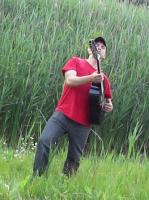
ME0003, a real life friend of mine, has generously offered to host a Teamspeak server for gaming use. I'm planning to make use of it for the Rogue Revival team variant. I've known ME0003, or "me three", for over fifteen years now. He's the one who introduced me to Civ (Civ1, that is), and my first game of Civ was played in his bedroom. I bought Diablo in January 1997 while staying at his home, so my first game of Diablo was played in his living room (on my computer).  Oh, and I got the Descent demo from him, so my first game of Descent was played at his place, too.
  Wow, where would I be without him?
What is Teamspeak? This is a voice communication program, which is capable of running parallel with games to provide voice chat during play. There are other uses, too, but gaming is our chief concern here.
I first learned of this program through friends who are still playing Descent. FPS players of all stripes -- Quake, Unreal, Descent, etc -- make frequent use of programs like Teamspeak during gaming. Many RTS players do the same. Team games see the most use, but free for all gaming can be fun too, to talk with one another while playing, to hoot and holler like you would at a LAN.
One of the reasons I like Teamspeak is voice clarity. The quality is really good, sound is about on par with telephone. Another is the Press to Talk feature, which is compatible with almost anything. I set up one key to key my mic, and then sound is sent out only when I want it to be. Less disruption, less distraction, and no dropped remarks if someone's voice quiets. Another important reason I like Teamspeak is that it is completely free for noncommercial use. Finally, I like Teamspeak for reliability. The program is stable, battle tested for demanding types like FPS players, and with minimal setup and acclimation, it's ready to use.
Voice chat properly demands broadband. This is the chief reason you haven't heard about this before -- when I was on dialup, I needed every ounce of bandwidth just to enjoy a game. No room left for voice. Now that I have cable, I'm happy to finally start making use of voice capability.
Here is the Teamspeak Website where you can learn more, download the software, etc.
Diablo is the only active RB Favorite where TS would be particularly useful, so that's why I've posted this notice in here. ME0003 is going to join the Rogue Revival team. He's not a total Diablo newbie, but he's a bit green compared to the average RBD player. He and I are definitely going to run TS while we play, and we invite the rest of the team to join us if they like.
Since the server is up and he has it running on his network and media server at home, where he has commercial DSL, it will be available for other use. The current user limit is set to 16. I'm also a server admin, so if you have any requests, forward them to me or post them in this thread. (For example, World of Warcraft players... or any other games where RB folks are playing multiplayer. If you would like to try TS for a team event, let me know.)
WHAT YOU NEED TO RUN TEAMSPEAK:
* Windows or Linux
* Microphone
* Headphones
* Broadband Internet
The mic is obvious.
The headphones are for reduction of noise pollution. Folks are going to be hearing the game they're playing, so there will be game sounds, possibly music, so any spoken communication needs to be clear to heard over the game sound, and we don't want voice echoes from somebody's speakers, nor do we need to hear THEIR sound and music broadcast to us.
The broadband restriction is not one of permission but of practicality. Dialup users are welcome to TRY to use TS if they wish. Perhaps tweaking the performance to minimal latency at the expense of sound quality will help, but I wouldn't count on that. Use at your own discretion.
HOW TO USE TEAMSPEAK:
* Install the client software.
* Set up your Connection. Go to Connection, Connect, and add a server to your local address book.
Server Label = Realms Beyond
IP: 66.15.72.204
Nickname: (Input your nick)
Login: Anonymously, until we've registered you on the server. Once registered, then login registered.
Server Password: The RBD password. If you don't know it, email me, or Gris, or KoP.
Default Channel: Realms Beyond
* Connect.
* Set up Push to Talk. Go to Settings, Sound Input, and activate Push to Talk. Then choose a hotkey and set it. I've chosen C, which is the nearest key to my normal Diablo hotkeys. (I moved Character Screen viewing to the V key and use C as an extra hotkey, but it's the least-used of my normal hotkeys. ME0003 and I played some D2 tonight on a test run and C worked out very well for me.)
* Enter the correct channel. You will only hear the voices of others in the same channel. Which channel to use depends on what you're playing. I've set up some registered channels to start:
Realms Beyond - main lobby, general chat.
RBD1, RBD2, RBD3 - Diablo rooms, available for general Diablo play. Find yourself in a game with fellow RBers? Some or all of you want to give TS a try while you play? Each room is for a different game, so up to three games can be running TS, one game per room.
Active Team Variants can give TS a try. If you find you like it and want to continue, I can add a registered channel for your team. Let me know.
Obviously, Teamspeak is of no use if there's nobody else in the channel. Also, the server is provided "as is" and we cannot be responsible for what folks say and do while connected, except to ban those who behave abusively. Here's hoping that will never be necessary.
SERVER RULES
* No excessive foul language.
* No deliberate harassment of others.
* No deliberate disruption of games, channels, or activities.
* Exercise common sense.
* The server is for RB use only. If there are less than two RB community members involved, that is not RB use.
These rules go without speaking, but I thought I'd spell them out anyway. If you have a complaint about anybody's behavior on the server, please email it to me. Thanks.
Let the chatting begin. :wub:
- Sirian
Oh, and I got the Descent demo from him, so my first game of Descent was played at his place, too. Wow, where would I be without him? What is Teamspeak? This is a voice communication program, which is capable of running parallel with games to provide voice chat during play. There are other uses, too, but gaming is our chief concern here.
I first learned of this program through friends who are still playing Descent. FPS players of all stripes -- Quake, Unreal, Descent, etc -- make frequent use of programs like Teamspeak during gaming. Many RTS players do the same. Team games see the most use, but free for all gaming can be fun too, to talk with one another while playing, to hoot and holler like you would at a LAN.
One of the reasons I like Teamspeak is voice clarity. The quality is really good, sound is about on par with telephone. Another is the Press to Talk feature, which is compatible with almost anything. I set up one key to key my mic, and then sound is sent out only when I want it to be. Less disruption, less distraction, and no dropped remarks if someone's voice quiets. Another important reason I like Teamspeak is that it is completely free for noncommercial use. Finally, I like Teamspeak for reliability. The program is stable, battle tested for demanding types like FPS players, and with minimal setup and acclimation, it's ready to use.
Voice chat properly demands broadband. This is the chief reason you haven't heard about this before -- when I was on dialup, I needed every ounce of bandwidth just to enjoy a game. No room left for voice. Now that I have cable, I'm happy to finally start making use of voice capability.
Here is the Teamspeak Website where you can learn more, download the software, etc.
Diablo is the only active RB Favorite where TS would be particularly useful, so that's why I've posted this notice in here. ME0003 is going to join the Rogue Revival team. He's not a total Diablo newbie, but he's a bit green compared to the average RBD player. He and I are definitely going to run TS while we play, and we invite the rest of the team to join us if they like.
Since the server is up and he has it running on his network and media server at home, where he has commercial DSL, it will be available for other use. The current user limit is set to 16. I'm also a server admin, so if you have any requests, forward them to me or post them in this thread. (For example, World of Warcraft players... or any other games where RB folks are playing multiplayer. If you would like to try TS for a team event, let me know.)
WHAT YOU NEED TO RUN TEAMSPEAK:
* Windows or Linux
* Microphone
* Headphones
* Broadband Internet
The mic is obvious.
The headphones are for reduction of noise pollution. Folks are going to be hearing the game they're playing, so there will be game sounds, possibly music, so any spoken communication needs to be clear to heard over the game sound, and we don't want voice echoes from somebody's speakers, nor do we need to hear THEIR sound and music broadcast to us.
The broadband restriction is not one of permission but of practicality. Dialup users are welcome to TRY to use TS if they wish. Perhaps tweaking the performance to minimal latency at the expense of sound quality will help, but I wouldn't count on that. Use at your own discretion.
HOW TO USE TEAMSPEAK:
* Install the client software.
* Set up your Connection. Go to Connection, Connect, and add a server to your local address book.
Server Label = Realms Beyond
IP: 66.15.72.204
Nickname: (Input your nick)
Login: Anonymously, until we've registered you on the server. Once registered, then login registered.
Server Password: The RBD password. If you don't know it, email me, or Gris, or KoP.
Default Channel: Realms Beyond
* Connect.
* Set up Push to Talk. Go to Settings, Sound Input, and activate Push to Talk. Then choose a hotkey and set it. I've chosen C, which is the nearest key to my normal Diablo hotkeys. (I moved Character Screen viewing to the V key and use C as an extra hotkey, but it's the least-used of my normal hotkeys. ME0003 and I played some D2 tonight on a test run and C worked out very well for me.)
* Enter the correct channel. You will only hear the voices of others in the same channel. Which channel to use depends on what you're playing. I've set up some registered channels to start:
Realms Beyond - main lobby, general chat.
RBD1, RBD2, RBD3 - Diablo rooms, available for general Diablo play. Find yourself in a game with fellow RBers? Some or all of you want to give TS a try while you play? Each room is for a different game, so up to three games can be running TS, one game per room.
Active Team Variants can give TS a try. If you find you like it and want to continue, I can add a registered channel for your team. Let me know.
Obviously, Teamspeak is of no use if there's nobody else in the channel.
Also, the server is provided "as is" and we cannot be responsible for what folks say and do while connected, except to ban those who behave abusively. Here's hoping that will never be necessary.SERVER RULES
* No excessive foul language.
* No deliberate harassment of others.
* No deliberate disruption of games, channels, or activities.
* Exercise common sense.
* The server is for RB use only. If there are less than two RB community members involved, that is not RB use.
These rules go without speaking, but I thought I'd spell them out anyway. If you have a complaint about anybody's behavior on the server, please email it to me. Thanks.
Let the chatting begin. :wub:
- Sirian
Fortune favors the bold.


![[Image: vipersig.jpg]](http://www.danasoft.com/vipersig.jpg)